
Creating a productive home office environment is essential for anyone working remotely or running a business from home. A thoughtfully arranged workspace can boost your efficiency, reduce distractions, and enhance your overall work experience. Whether you have a dedicated room or a small corner of your living space, the right setup can make a significant difference. Here are practical tips to help you build and maintain a productive home office.
Choose the Right Location
Separate Work from Home Life
If possible, select a space in your home that you can dedicate solely to work. This separation helps create mental boundaries between job tasks and personal time. A spare room, a nook in your living room, or a quiet corner can work well.
Consider Natural Light and Ventilation
Good lighting impacts mood and productivity. Aim to position your desk near a window to benefit from natural light. Fresh air circulation also refreshes your mind and helps you stay alert during work hours.
Invest in Comfortable Furniture
Ergonomic Desk and Chair
A comfortable chair that supports your back and allows correct posture is a must. Look for adjustable chairs and desks to customize height and alignment as needed. Proper ergonomics prevent strain and fatigue.
Functional Desk Space
Choose a desk that fits your needs — enough surface area for your computer, notebooks, and other essentials without cluttering. Consider desks with built-in storage to keep supplies organized.
Organize Your Workspace
Declutter Regularly
Keep your workspace tidy by regularly removing unnecessary items. A clutter-free desk minimizes distractions and creates a calm environment.
Use Storage Solutions
Shelves, drawers, filing cabinets, and desk organizers help keep documents, stationery, and gadgets in order. When everything has a place, it’s easier to find what you need quickly.
Cable Management
Manage cables with clips, ties, or trays to avoid tangles and tripping hazards. Clean, organized wiring improves safety and aesthetics.
Optimize Technology Setup
Reliable Hardware and Internet Connection
Ensure your computer, printer, and other devices are reliable and up to date. A fast and stable internet connection is vital for video calls, file sharing, and uninterrupted work.
Minimize Digital Distractions
Close unused tabs, silence unnecessary notifications, and use apps or browser extensions that limit distracting websites during work hours.
Establish Good Lighting
Combine Natural and Artificial Light
While natural light is ideal, supplement it with task lighting like desk lamps. Adjustable lamps help reduce eye strain by evenly illuminating your work area.
Avoid Screen Glare
Position your monitor to avoid glare from windows or overhead lights. Use screen filters or anti-glare protectors if needed.
Personalize Your Workspace Thoughtfully
Add Inspiring Elements
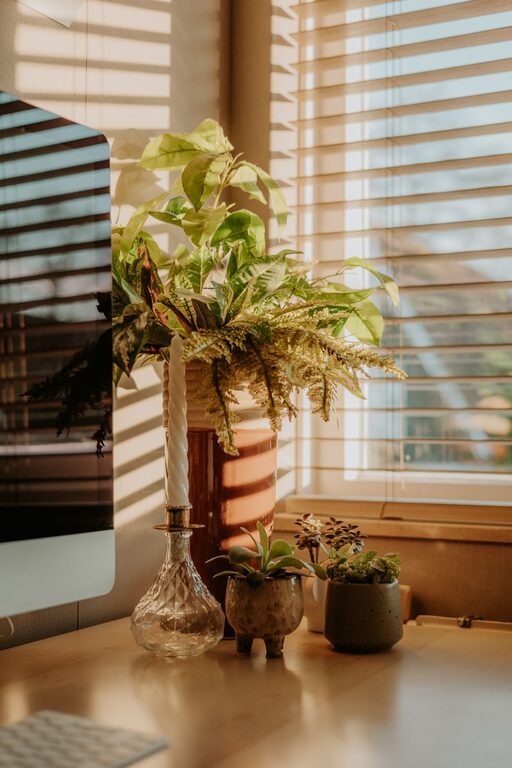
Incorporate photos, artwork, plants, or motivational quotes to make your workspace inviting and inspiring.
Balance Decoration and Function
Avoid over-decorating, which can be distracting. Aim for a neat space that feels comfortable but remains focused on work.
Establish a Routine and Boundaries
Set Work Hours
Decide on specific start and end times to create a work-life structure. Communicate your schedule to family or roommates to minimize interruptions.
Take Regular Breaks
Use breaks to stretch, hydrate, and rest your eyes. Breaks improve concentration and prevent burnout.
Minimize Noise Distractions
Use noise-cancelling headphones or white noise machines if your environment is noisy. Inform household members about your work schedule to reduce disturbances.
Maintain Healthy Habits
Ergonomic Exercises
Incorporate simple stretches or movements during breaks to ease tension from prolonged sitting.
Stay Hydrated and Nourished
Keep water nearby and plan snacks or meals to maintain energy and focus throughout the day.
Keep Improving Your Workspace
Seek Feedback
If you share your home office with family or housemates, ask for feedback on noise levels or potential improvements.
Adjust as Needed
Your needs may change over time. Be open to rearranging furniture, upgrading equipment, or changing your workflow to stay efficient.
—
By applying these tips, you can create a home office environment that supports focus, comfort, and productivity. The right setup helps you maintain a healthy work-life balance and make the most of your work-from-home experience.